
You're trying to watch a video and it buffers endlessly. A web page loads so slowly you almost forget what you wanted to look up. A video meeting stutters and your colleagues can't hear you. Slow ...
You're trying to watch a video and it buffers endlessly. A web page loads so slowly you almost forget what you wanted to look up. A video meeting stutters and your colleagues can't hear you. Slow internet is one of the most frustrating daily irritations, precisely because you can't immediately tell what's causing it. Is it your WiFi? Your provider? Your computer? In this article, we'll figure it out step by step.
Step 1: Measure your internet speed
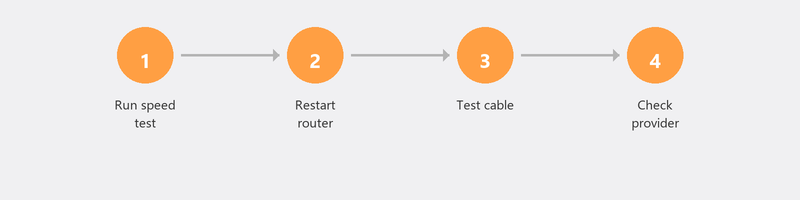
Before you start fixing anything, you need to know what the problem is. Go to speedtest.net and run a test. Note the download speed, upload speed, and ping. Compare the result with what your provider promises (that's on your contract or on your provider's website). Getting less than 70 percent of the promised speed? Then there's a problem.
Run the test twice: once over WiFi and once with a network cable directly into your router. This tells you whether the problem is with your WiFi or your internet connection.
Step 2: Wired is fast, WiFi is slow? Then it's your WiFi

Do you get the promised speed via cable but not over WiFi? Then your WiFi is the bottleneck. The most common causes: you're sitting too far from the router, there are thick walls between you and the router, or other devices (microwaves, baby monitors) are interfering with the signal.
You can change the WiFi channel on your router to avoid interference with neighbors. Log in to your router (usually via 192.168.1.1 in your browser) and look for the WiFi settings. Also try the difference between 2.4 GHz (greater range, lower speed) and 5 GHz (shorter range, higher speed). For streaming and video calls, 5 GHz is better, as long as you're close enough to the router.
Step 3: Everything is slow? Then it's your provider or router
If both WiFi and wired are slow, the problem isn't with your devices. First check if there's an outage at your provider via their website or app. Restart your router and modem (unplug, wait thirty seconds, plug back in). If your router is more than five years old, replacing it could solve the problem: older routers don't always support the latest WiFi standards.
Step 4: Boost WiFi in your home
Do you live in a large house, a house with thick walls, or on multiple floors? Then a single router probably isn't enough. A mesh system (multiple WiFi points that work together) gives you a strong signal in every room. A WiFi extender (repeater) is a cheaper option but provides a slightly less stable signal. In both cases, it helps to place the router centrally in your home, not in a corner or behind a cabinet.
Step 5: Too many devices on your network
Count how many devices are on your WiFi: smartphones, laptops, tablets, smart TVs, security cameras, smart speakers, gaming consoles. An average household now has ten to twenty connected devices. Your router has limited bandwidth that's shared among all those devices. If someone is streaming a 4K movie and another person is downloading a game, there's little left for your video meeting.
Step 6: Call your provider
Have you tried all the steps above and it's still slow? Then it's time to call your provider. Tell them what speed you're measuring (with the speed test) and what speed you're paying for. Ask if there are technical problems on your connection. If the promised speed is consistently not being delivered, you're entitled to a solution or compensation.
We'll optimize your network remotely
We can remotely review your network settings, optimize your WiFi channel, check if your router is properly configured, and advise on extenders or mesh systems. Call us and a specialist will help you right away.
Slow internet and don't know what's causing it? Call +31 10 268 7172 and we'll analyze it remotely
Frequently asked questions
What's a normal internet speed for home use?
For normal use (browsing, email, social media) 25 Mbps download is sufficient. For HD streaming you need at least 50 Mbps, for 4K streaming 100 Mbps. If multiple people are streaming or gaming simultaneously, 200 Mbps or more is recommended.
Does a more expensive router help against slow internet?
Sometimes. A new router supports newer WiFi standards (WiFi 6 or 6E) that are faster and more stable, especially with many devices. But if your internet connection itself is slow, a better router won't help: you can't go faster than what's coming in.
Why is my internet slower in the evening?
Because everyone in your area is online at the same time. Between 7:00 PM and 11:00 PM, the load on the network is highest. With cable internet, you'll notice this more than with fiber optic, because you share the bandwidth with your neighbors.
What's the difference between download speed and upload speed?
Download speed determines how fast you receive data (loading websites, streaming movies). Upload speed determines how fast you send data (uploading files, video calling). For most people, download speed is most important, but remote workers with many video meetings also need good upload speed.
Can my neighbor slow down my WiFi?
Not directly, unless they're on your network (change your WiFi password if you suspect this). Indirectly though: if your neighbor uses the same WiFi frequency and channel, it can cause interference. Changing your WiFi channel fixes that.
Need help? We connect remotely.
A specialist looks at your computer remotely. The assessment is free.