You're getting messages from contacts asking why you sent them strange emails. Or you suddenly can't log in to your email account. Or you receive notifications about password changes you didn't req...
You're getting messages from contacts asking why you sent them strange emails. Or you suddenly can't log in to your email account. Or you receive notifications about password changes you didn't request. If any of these things happen to you: your email account has probably been hacked. Act fast. Here are the steps, in order of urgency.
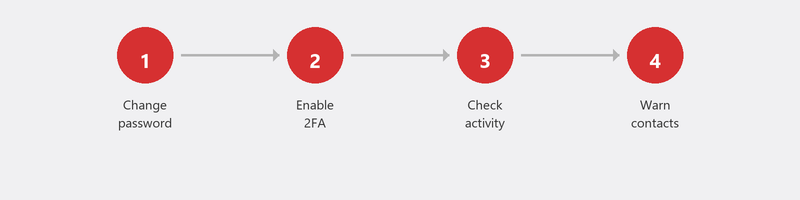
Step 1: Change your password immediately
Can you still log in? Then change your password now. Not in five minutes -- now. Choose a password you don't use anywhere else, at least twelve characters long, with a combination of letters, numbers, and symbols. Don't use obvious words like your name, date of birth, or pet.
Step 2: Enable two-factor authentication
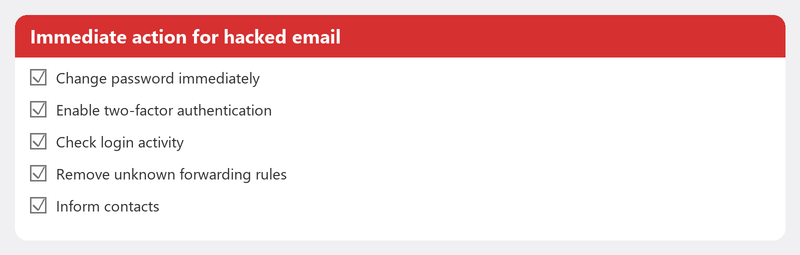
Two-factor authentication (also called 2FA) adds an extra layer of security. In addition to your password, you also need a code sent to your phone. Even if someone knows your password, they can't get in without your phone. For Gmail, you can find this under your Google account settings; for Outlook, at account.microsoft.com/security.
Step 3: Check your account activity
In Gmail, you can view your recent sign-in activity at myaccount.google.com/security-checkup. In Outlook, you can find this under account security. Check for sign-ins from unfamiliar locations or devices. Remove all sessions you don't recognize and sign out all other devices.
Step 4: Warn your contacts
Hackers often use a hacked email account to send phishing emails to all contacts. Your friends, family, and colleagues then receive emails that appear to come from you, with suspicious links. Send a message (via another channel, like WhatsApp) to warn your contacts not to open anything they recently received from you.
Step 5: Scan your computer for malware
How did the hacker get your password? Possibly through a keylogger: software that records what you type. Run a full virus scan on your computer to make sure no malware is active. Read our article on removing viruses for the steps.
Can't log in anymore? Here's what you can do
If the hacker changed your password and you're locked out, use the account recovery procedure of your provider. For Gmail, go to accounts.google.com/signin/recovery. For Outlook, go to account.live.com/password/reset. You'll need access to the phone number or alternative email address linked to your account.
If recovery doesn't work and you suspect financial damage or identity theft, file a report with the Police. Also report it to the Fraud Helpdesk.
Also read our article on recognizing phishing to understand how the hack likely started.
Need immediate help with a hacked account?
Panicking and don't know where to start? Call us. We'll guide you through the entire process: password reset, two-factor authentication setup, removing suspicious activity, and scanning your computer. Your account will be secure again.
Frequently asked questions
How do I know for sure my email has been hacked?
Clear signs include: you can't log in even though your password hasn't been changed by you, contacts receive emails you didn't send, or you see unfamiliar sign-in activity in your security settings. Also check your email address on haveibeenpwned.com to see if it has been leaked in a data breach.
Should I file a report if my email is hacked?
If there's financial damage or your identity is being misused: yes. You can file a report online with the police. In other cases, it's wise to report it to the Fraud Helpdesk, even if there's no direct damage. This also helps others.
Can a hacker steal my bank details through my email?
Not directly, but your email is often the key to everything. Through your email, a hacker can reset passwords for other services, including your bank. That's why your email account is the most important account to secure properly.
How do I create a strong password I can remember?
Use a passphrase instead of a password. For example: "MyCatEats3TimesADayAt7". Long, unique, and memorable. Or use a password manager that remembers it for you.
What is two-factor authentication and how do I set it up?
Two-factor authentication is an extra security layer that requires a code sent to your phone in addition to your password. You set it up through the security settings of your email provider (Google, Microsoft, etc.). It takes two minutes and makes your account much safer.
Account hacked and don't know what to do? Call +31 10 268 7172 now -- we'll secure your account right away [link to /remote-help]
Need help? We connect remotely.
A specialist looks at your computer remotely. The assessment is free.