
Outlook is the nerve center of many people's digital life: email, calendar, contacts, tasks. When Outlook stops working, everything grinds to a halt. The program crashes on opening, won't sync wi...
Outlook is the nerve center of many people's digital life: email, calendar, contacts, tasks. When Outlook stops working, everything grinds to a halt. The program crashes on opening, won't sync with your mail server, or has become so slow you'd be faster with a carrier pigeon. Sound familiar? Here are the solutions for the most common Outlook problems.
Outlook won't start or crashes immediately
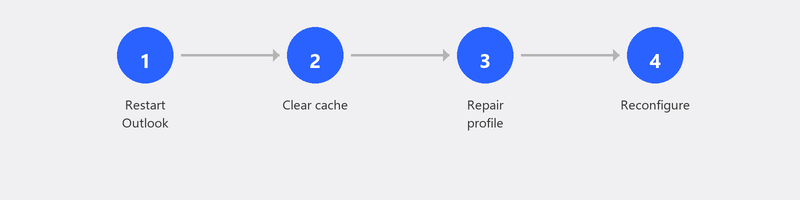
If Outlook crashes on opening, an add-in is often disrupting the program. Start Outlook in Safe Mode: press the Windows key, type outlook.exe /safe and press Enter. In Safe Mode, all add-ins are disabled. Does Outlook work now? Go to File, Options, Add-ins, and disable add-ins one by one to find the culprit.
Safe Mode doesn't help? Then your Outlook profile may be damaged. Go to Control Panel, Mail, Show Profiles. Create a new profile, add your email account again, and set the new profile as default.
Outlook won't sync with your mail server

Not seeing new emails when you expect them? First check if you're accidentally in Offline mode: click on the Send/Receive tab and check if the "Work Offline" button is pressed. If so, click it to go back online. Then click Send/Receive All Folders to force synchronization.
Still not working? Check your account settings: File, Account Settings, and click Repair next to your account. Outlook will then check the server settings and try to restore the connection.
Outlook is very slow
A slow Outlook is usually the result of a mailbox that's too large. If you have tens of thousands of emails in your inbox, Outlook has to load and index all of them. Archive old emails (right-click a folder, Archive), remove attachments from large emails, and regularly empty your Deleted Items folder.
Outlook search isn't working
If searching in Outlook gives no or incomplete results, the search index is probably corrupted. Go to File, Options, Search, Indexing Options. Click Advanced and then Rebuild. This takes a while (sometimes hours for large mailboxes) but almost always fixes the problem.
Error messages when sending or receiving
Common error codes: 0x800CCC0E (can't connect to server), 0x8004010F (Outlook data file not accessible), 0x800CCC1A (secure connection failed). In most cases, these point to a problem with your server settings or internet connection. Check your account via File, Account Settings, Repair.
Repair Office when nothing else works
If Outlook persistently crashes or gives error messages, try repairing Office. Go to Settings, Apps, Installed apps, find Microsoft 365 or Microsoft Office, click the three dots, and choose Modify. Select Online Repair (not Quick Repair, as that's less thorough). This reinstalls all Office files without deleting your data.
Read our article on setting up email if you want to completely reconfigure your account, or our article on installing Office if you suspect the entire Office installation is corrupted.
Outlook problems? We fix them remotely
Outlook problems are perfectly suited for remote help: a specialist can check your settings, look up error codes, clean up the mailbox, and rebuild the search index. Call us and your Outlook will be running again.
Outlook problems? Call +31 10 268 7172 and we'll fix it remotely
Frequently asked questions
What's the difference between Outlook and Outlook.com?
Outlook is the desktop program that's part of Microsoft Office/365. Outlook.com is Microsoft's free webmail service (the successor to Hotmail). They share a name but are technically different products. You can use the same email address in both.
Will I lose my emails if I reinstall Outlook?
No, if you use IMAP (the default). Your emails are stored on the server and reappear once you set up your account again. Using POP3? Then emails are stored locally and you need to back up your PST file before reinstalling.
How do I start Outlook in Safe Mode?
Press the Windows key, type outlook.exe /safe and press Enter. Or hold the Ctrl key while clicking the Outlook icon. In Safe Mode, add-ins are disabled, which helps identify the cause of crashes.
Why has my Outlook become so slow?
The most common cause is a mailbox that's too large. Archive old emails, delete large attachments, and empty the Deleted Items folder. Also disable add-ins you don't use: every add-in slows Outlook down.
Can I use Outlook with a Gmail account?
Yes. Outlook supports Gmail via IMAP. Add your Gmail account via File, Add Account. You may need an app password if you have two-factor authentication enabled at Google.
Need help? We connect remotely.
A specialist looks at your computer remotely. The assessment is free.